Personal finance · AI
Personal wealth tracker with an AI assistant connected to the banks
An app to see in one place money spread across banks, an interest-bearing account and an index fund portfolio, and to ask an AI assistant about it that answers with your own data and with charts. You use it from the computer, as an app on the iPhone or from Claude.
- Role
- Idea, design and development, solo
- Year
- 2026
- Data
- Open banking (PSD2) and the fund manager’s API
- Interface
- Catalan, Spanish and English
- Technologies
- Python
- FastAPI
- SQLite
- Open banking (PSD2)
- Claude API
- MCP + OAuth
- Docker
- Cloudflare Tunnel
- Hetzner
- 3
- ways to use it: computer, iPhone and Claude
- 13
- queries the assistant can run on your data
- 8
- kinds of chart and table the assistant can draw
- 0
- writes to the banks: read-only
The web app
Everything comes from the banks and the fund manager, is stored on the server and is categorised automatically. Transfers between your own accounts don’t count as spending, and money set aside is kept apart from what you can use.
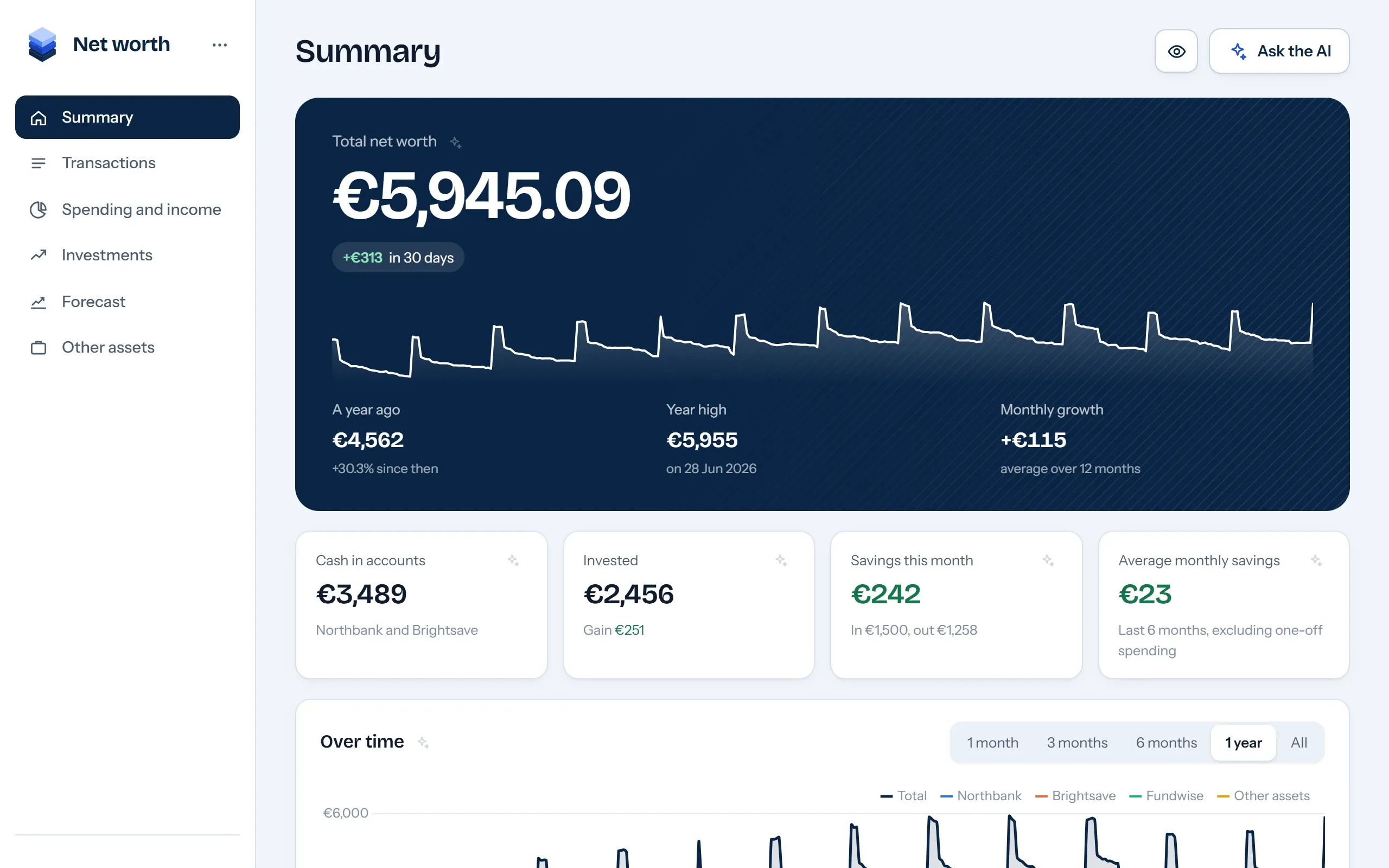
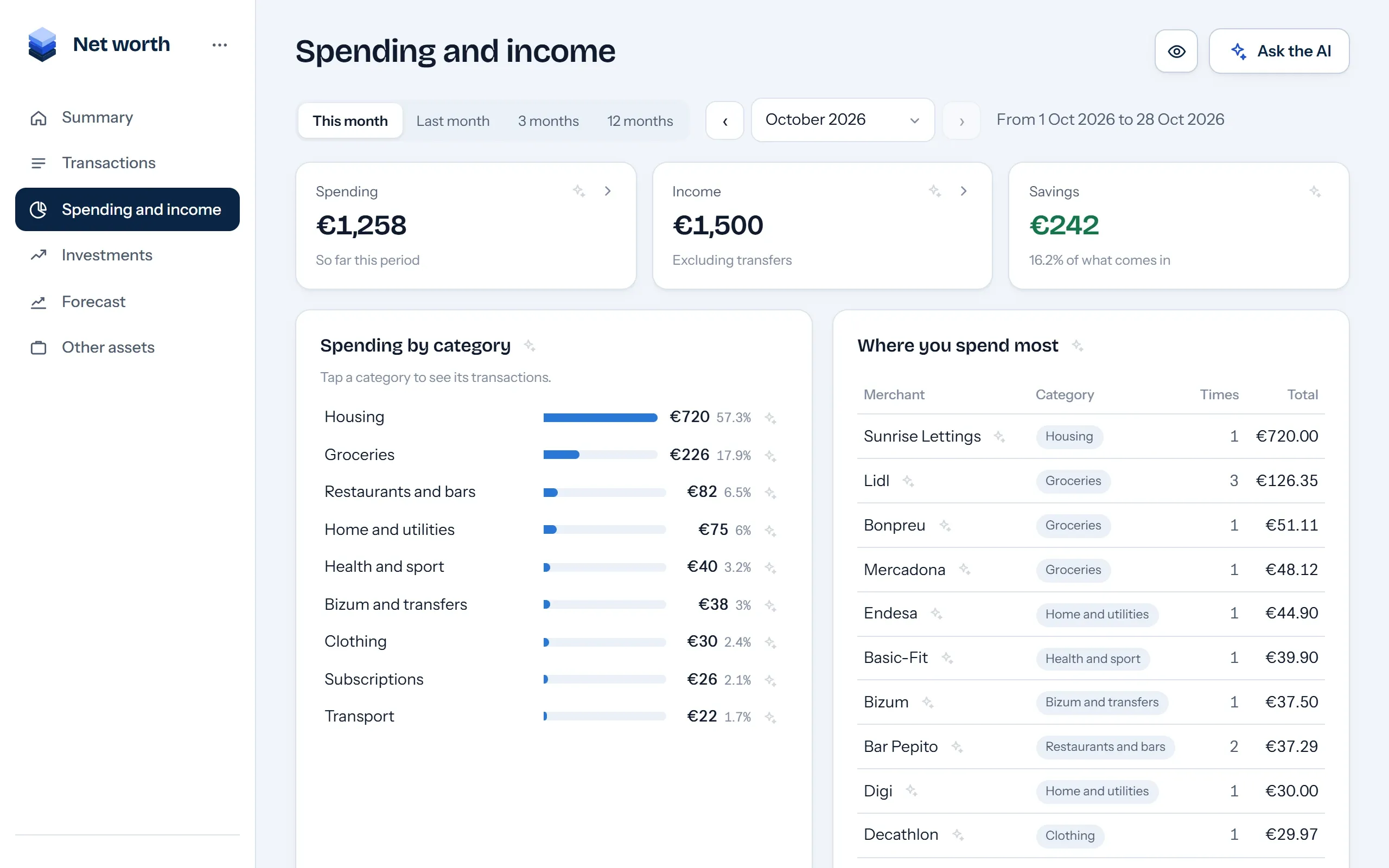
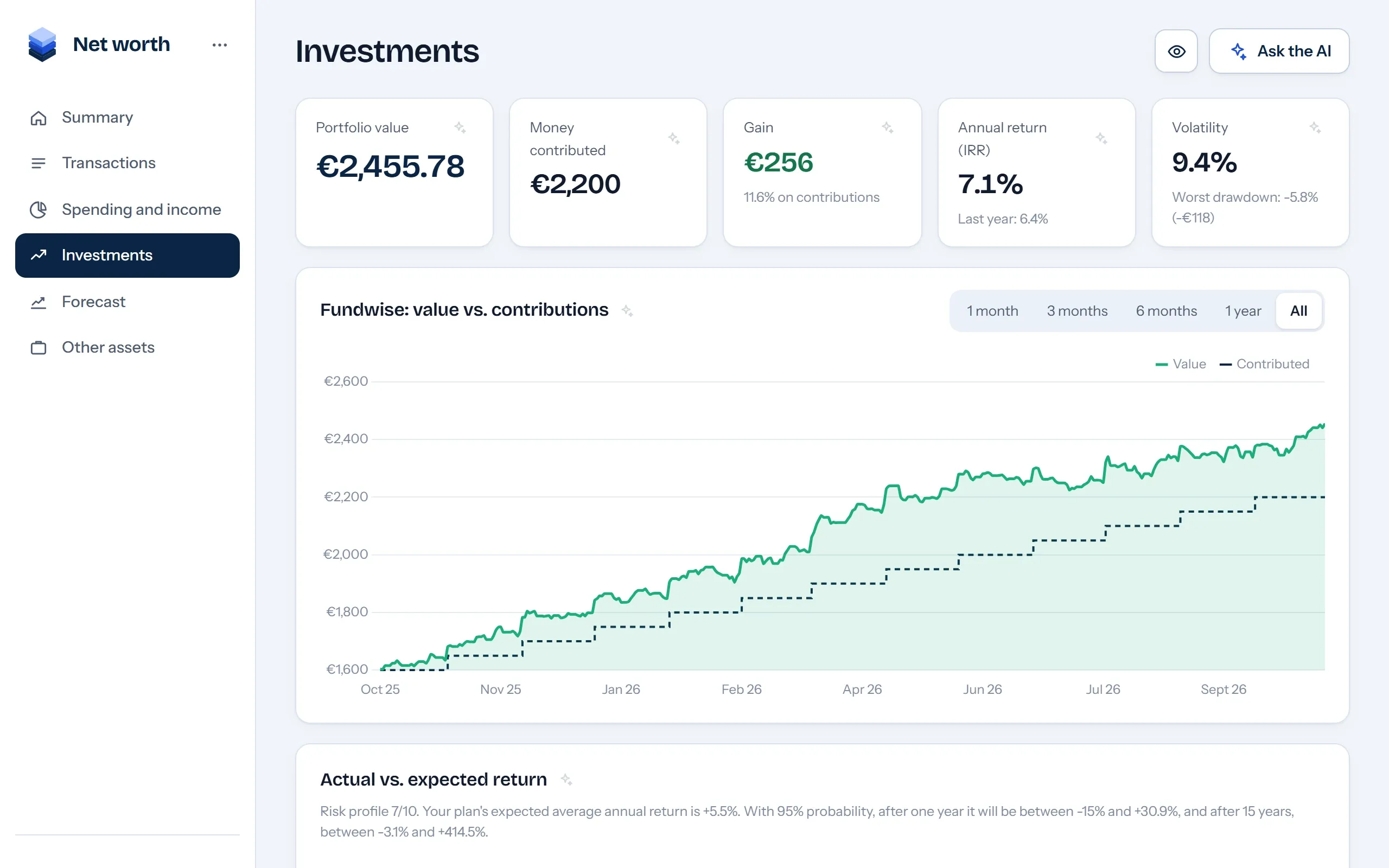
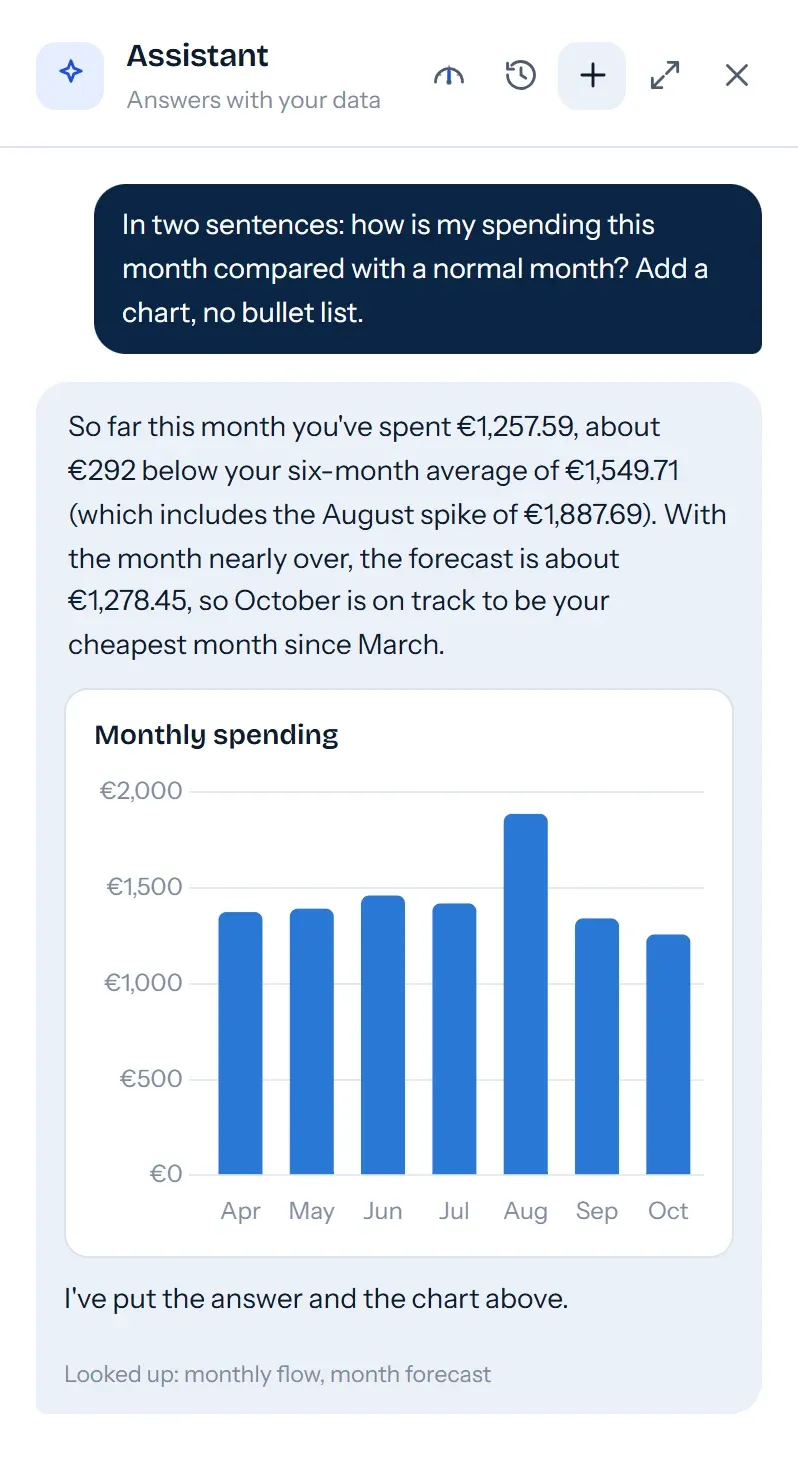
Screenshots with made-up data. The bank and fund manager names are made up too.
On the phone
It installs as an app on the iPhone. It asks for a PIN or Face ID when you open it, sends push notifications (payment reminders and warnings when access to a bank is about to expire) and has a button to hide the figures.

Summary Net worth and how it is changing, at a glance. 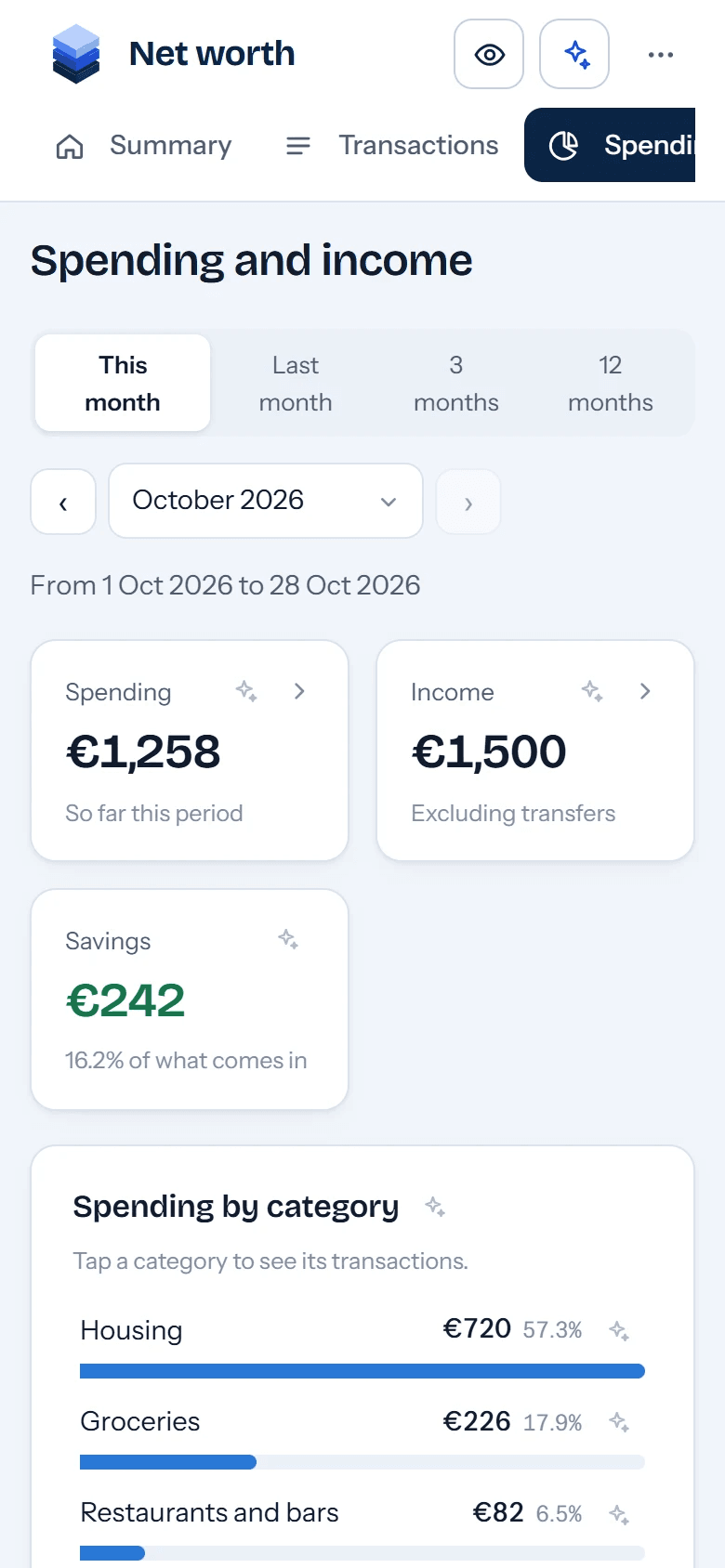
Spending How much you have spent this month and on what. 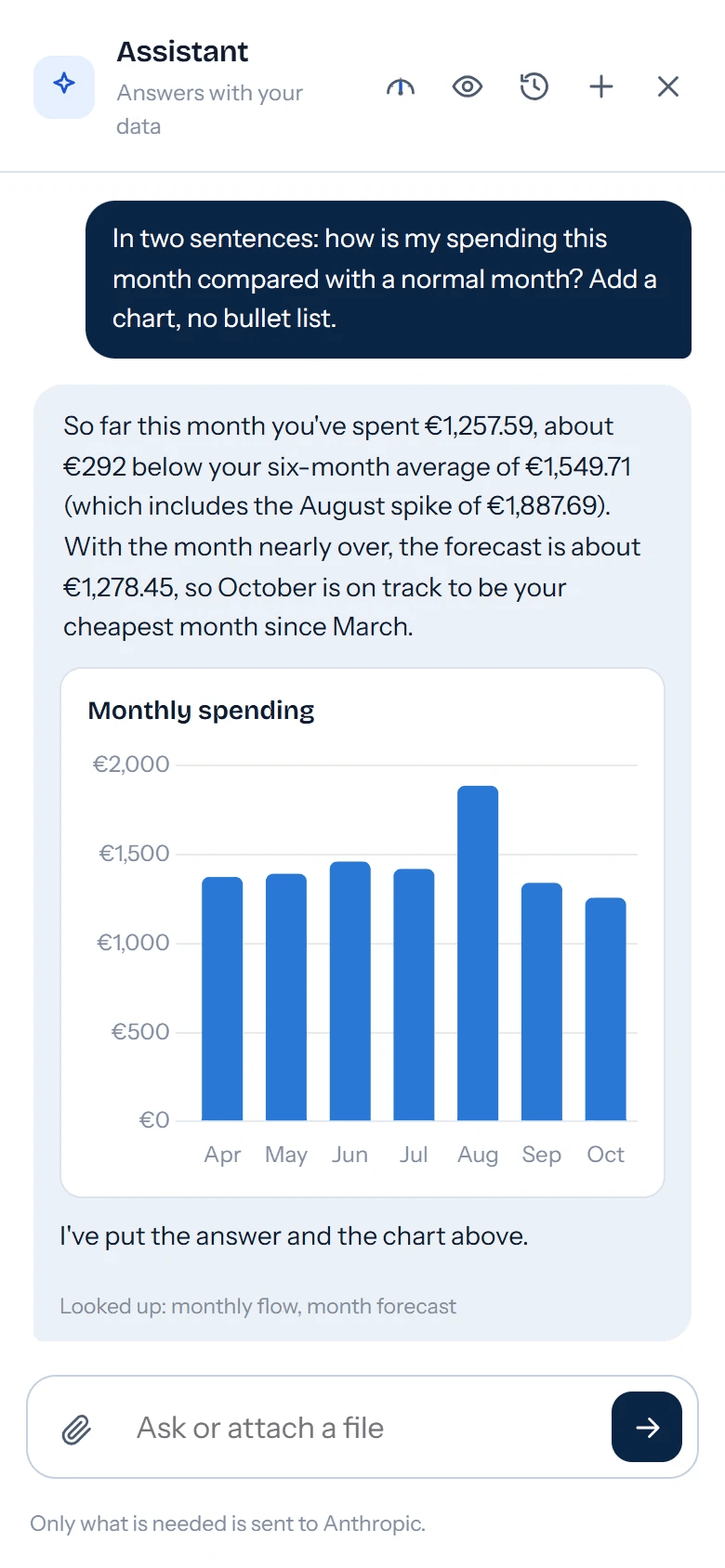
Assistant The same AI, with the charts adapted to the screen.
Architecture
A single application on a small server with no open ports. Data is downloaded from the banks and stored in SQLite, so querying it doesn’t depend on their APIs or use up access.
Entry points
- ComputerThe web app, behind Cloudflare Access with Google and a PIN.
- iPhoneInstalled as an app, with Face ID and push notifications.
- ClaudeMCP server with OAuth: the same queries from the Claude app, read-only.
Hetzner ARM64 server · Docker Compose
- SyncAccounts, transactions and portfolio, at most every 6 hours: banks limit daily access.
- CategoriesRules that classify transactions and spot transfers between your own accounts.
- AI assistantClaude with 13 queries on your data and a memory of what you tell it.
- Generative UIThe model describes charts and tables with a closed schema; the server validates them.
- ForecastMonth-end forecast and a 5, 10 or 20-year projection in three scenarios.
- SQLiteTransactions, balances, portfolio, tags and conversations.
External services
- BanksOpen banking (PSD2) through a licensed provider, read-only, with consent that has to be renewed.
- Fund managerIts API: portfolio, transactions and returns.
- AnthropicClaude, the assistant’s model.
A question to the assistant, end to end
What happens from the moment you type a question until you see the answer with its chart.
- AskYou type the question or attach an image, a PDF or a spreadsheet.
- ContextIt gets your situation, what it remembers about you, the date and the language.
- Look upIt requests the data it needs with its tools; only those results leave the server.
- DrawIf a chart helps, it describes it with the closed schema and the server validates it.
- AnswerThe text and the charts arrive live, as they are written.
- SaveThe conversation is saved in parts, so it looks the same when you reopen it.
Design decisions
The data stays on the server
Everything downloaded is kept in its own database. Querying doesn’t use up bank access, and the model only receives the results of the queries it asks for.
The AI never writes HTML
Charts are requested from a closed catalogue of 8 components with a strict schema. The server validates them and the web draws them with its own styles: no code from the model is ever run.
Moving money is not spending
Transfers between your own accounts and contributions to the portfolio count as neither spending nor income, and for a shared account only your share counts.
One-off spending kept apart
An exceptional expense counts in its month but not in averages or forecasts, so a trip doesn’t change what you expect to save.
Four layers to get in
Cloudflare Access with Google, the app checking its signature, a PIN or Face ID, and a server with no open ports. Claude gets in with OAuth and can only read.
Figures hidden on opening
When you open it, amounts are blurred, in the chat too, in case someone is looking at the screen. A button shows them.
Let’s talk.
For projects, talks or a conversation about building software and AI that work in production.