Sport · AI
AI running coach connected to a Garmin watch
A coach that looks at how you slept, how you have recovered and what you have actually run, and adapts the workouts on the watch. You use it from the web, by talking to the watch or from Claude, and it never touches Garmin until you confirm.
- Role
- Idea, design and development, on my own
- Year
- 2026
- Watch
- Garmin Forerunner 970
- Interface
- Catalan, Spanish and English
- Technologies
- Python
- FastAPI
- SQLite
- Garmin Connect
- Connect IQ (Monkey C)
- Claude API
- OpenAI speech-to-text
- MCP + OAuth
- Docker
- 3
- ways to use it: web, watch and Claude
- 19
- coach tools over your data
- 0
- changes in Garmin without your confirmation
- 15 min
- lifetime of each single-use proposal
The web app
It runs on the computer and as an app on the iPhone. Everything it shows comes from Garmin Connect and is stored on the server, so the coach can compare weeks and months without fetching it again.
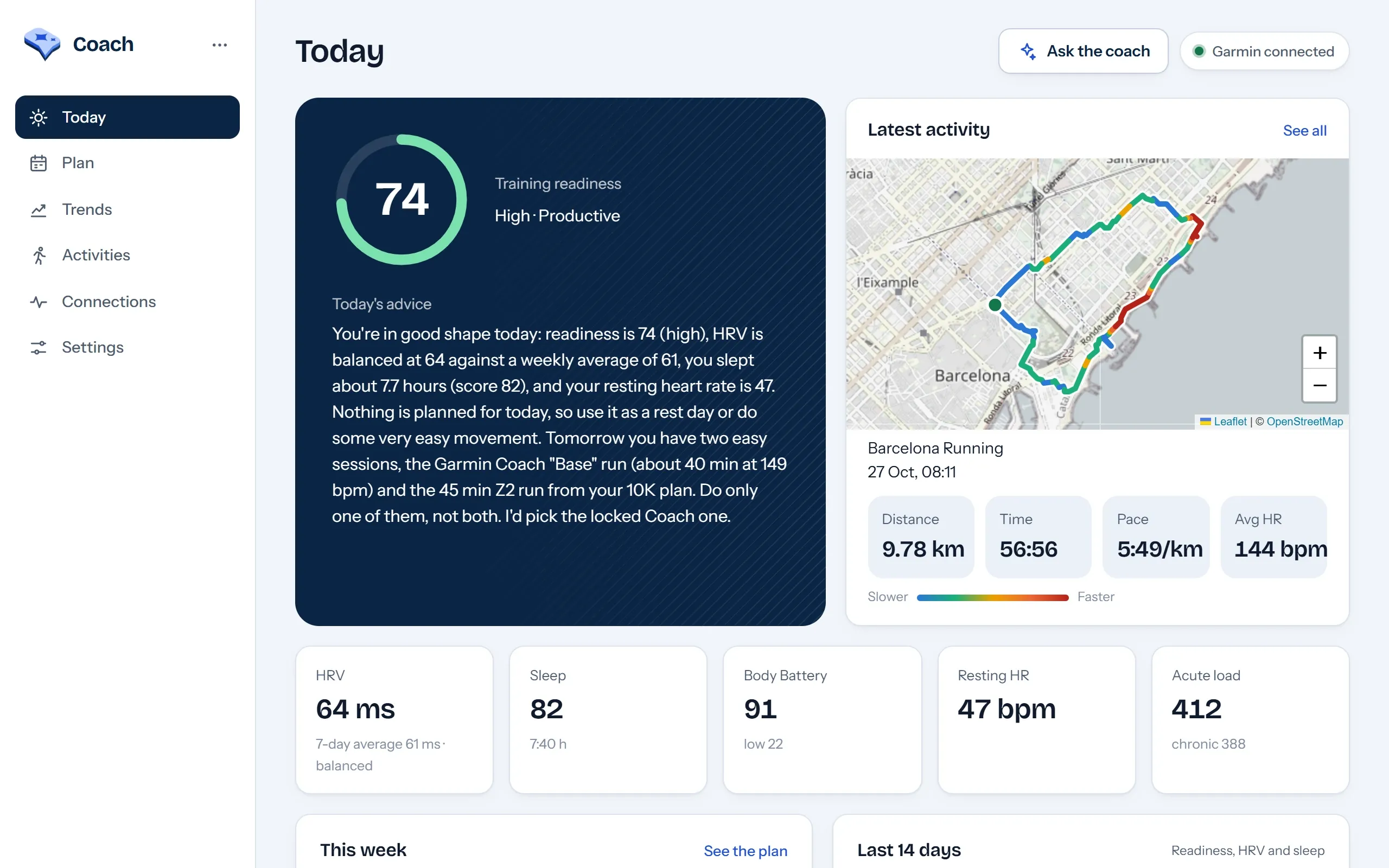
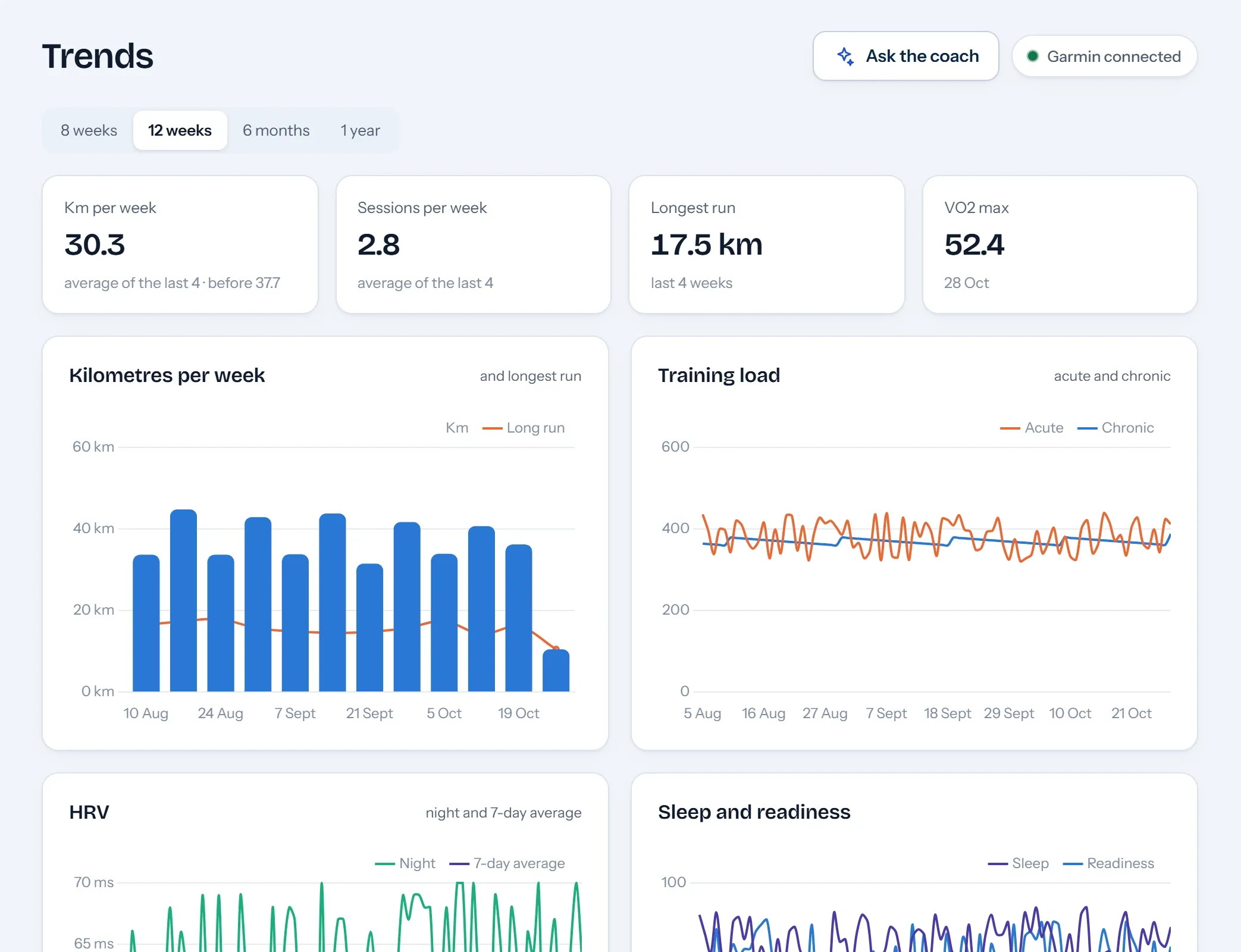
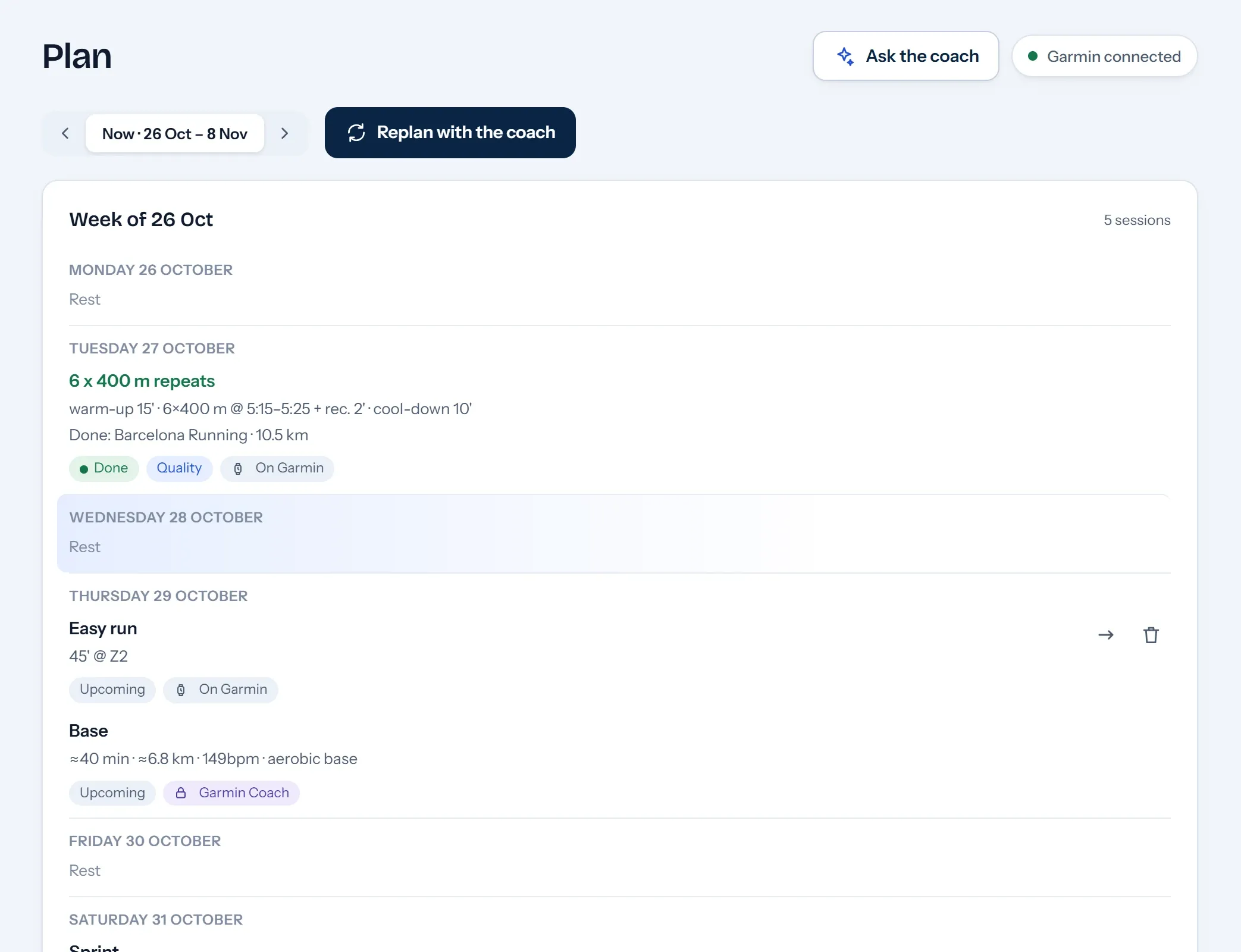
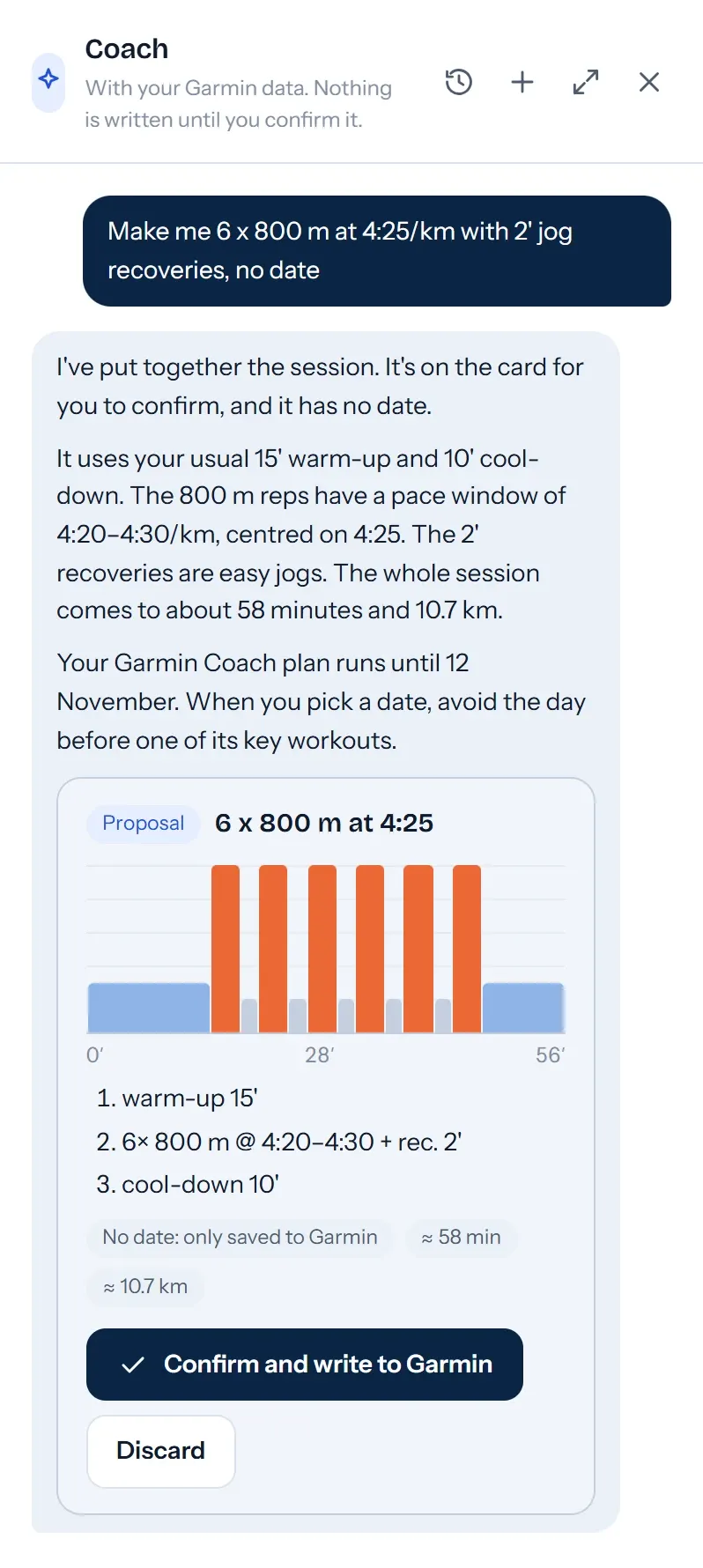
Screenshots with demo data.
On the phone
The same web app installs on the iPhone like a native app, with Face ID and push notifications. Every screen adapts to the phone.
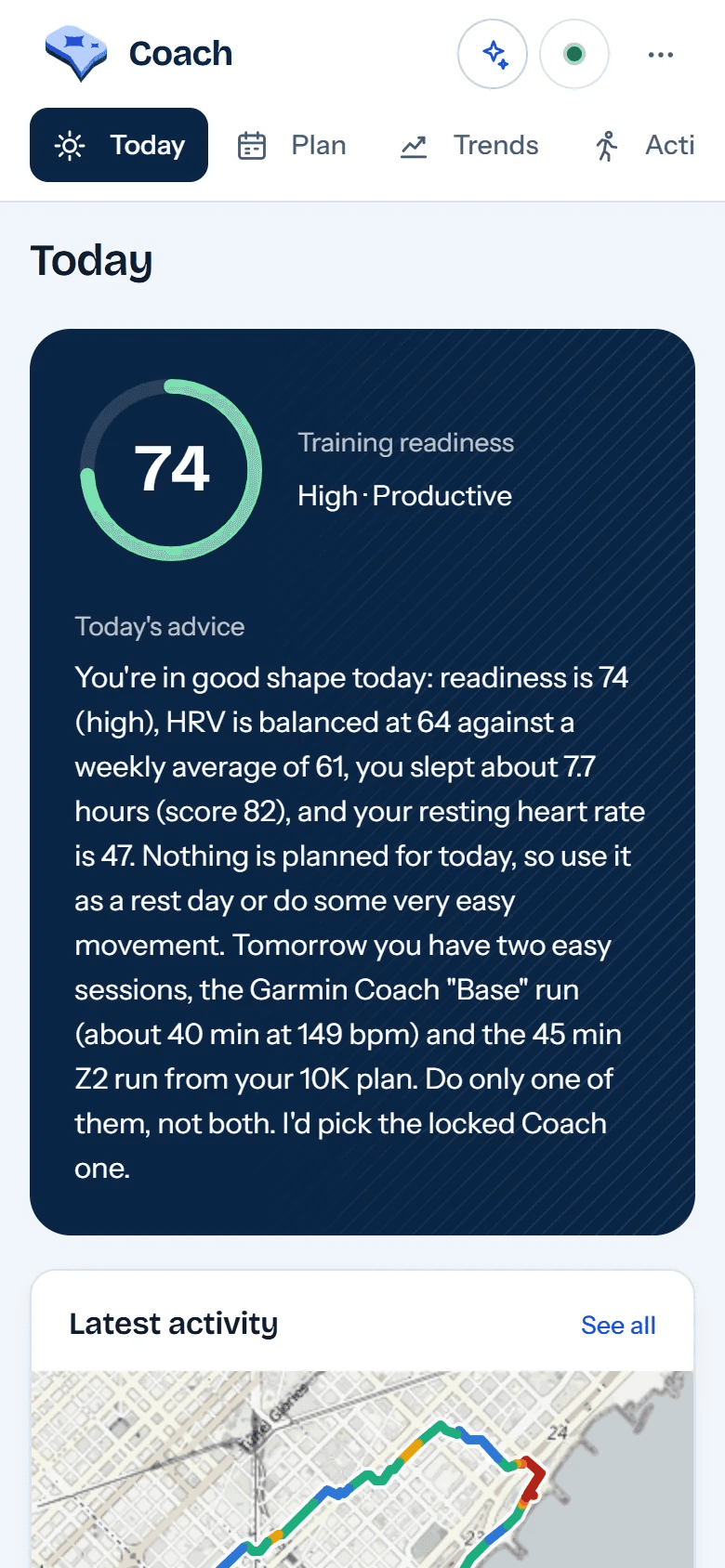
Today Readiness with its ring and the day’s advice; below, the latest run on the map. 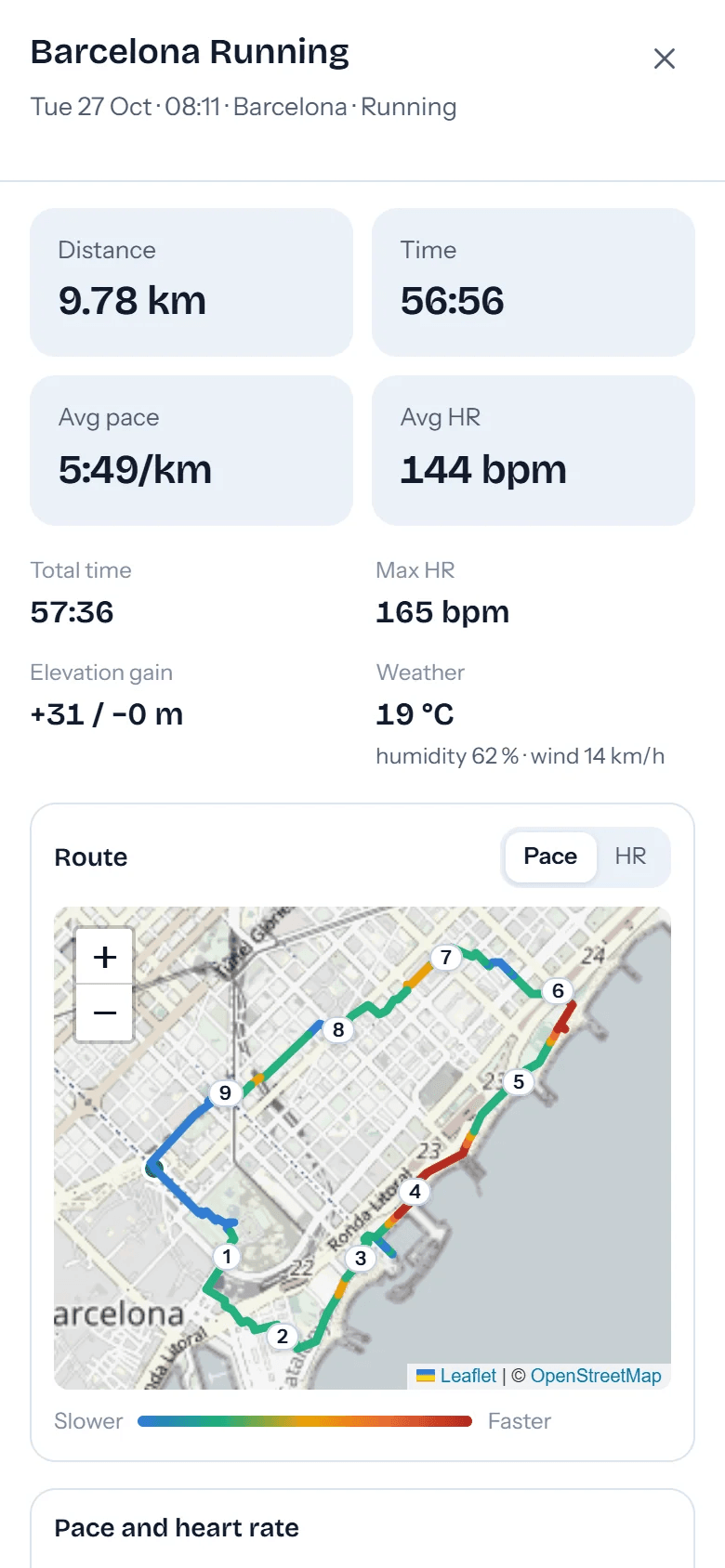
Activity The numbers of each run and the route with kilometre markers, coloured by pace or heart rate. 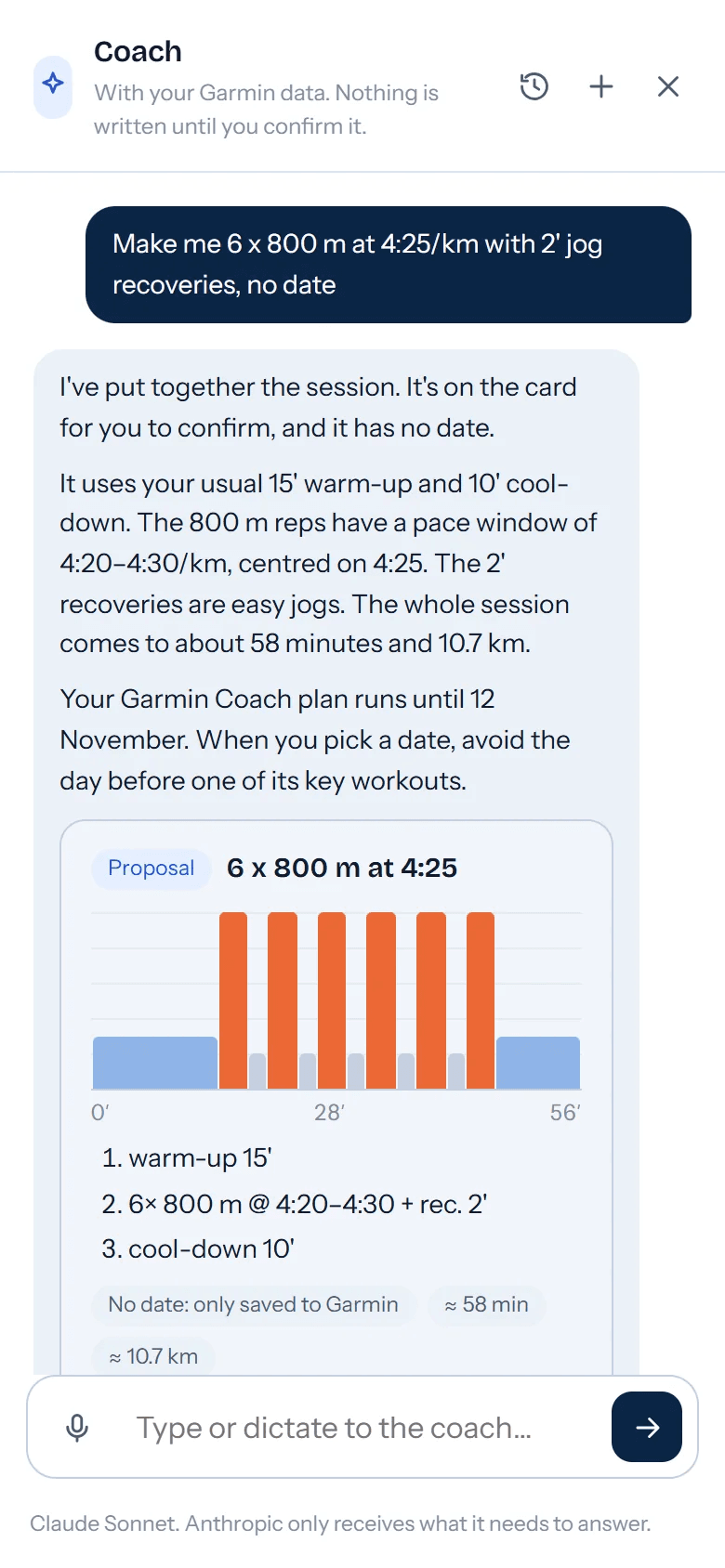
Coach The chat fills the screen: the proposed workout with its profile and steps, ready to confirm.
On the watch
A custom Forerunner app built with Connect IQ. You talk to it without taking out your phone: ask for a workout, see the week and start it, move it to another day or ask how you are doing. The answer appears on screen and, if you like, by voice too.
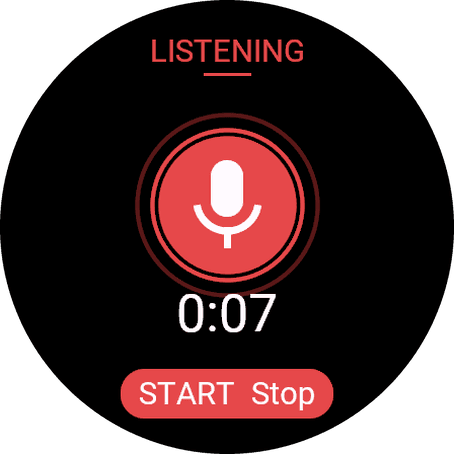
You talk Hold START and say what you want, for example “give me 400 m repeats for tomorrow”. 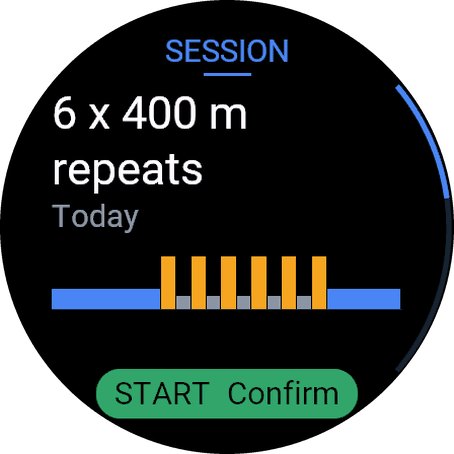
You confirm The coach proposes the workout with its steps and paces. START schedules it in Garmin. 
It answers Questions are answered with your data: kilometres, form, sleep or what is due this week.
Architecture
A single application on a small server, with three entry points protected in different ways because each has different limits: the watch cannot sign in with Google and Claude cannot get through Cloudflare Access.
Entry points
- WatchConnect IQ app. It goes over Bluetooth through the Garmin Connect app on the iPhone, with a device token.
- WebOn the computer or as an iPhone app. Cloudflare Access with Google, then a PIN or Face ID.
- ClaudeMCP server with OAuth 2.1 and PKCE: the same coach from the Claude app.
Hetzner ARM64 server · Docker Compose
- AI coachClaude with 19 tools: 11 to query and 8 to propose and write.
- ProposalsThey validate the workout or plan; on confirmation it is written with history and undo.
- SyncActivities, daily metrics, plan and shoes from Garmin Connect.
- WatchdogChecks the Garmin connection and sends a push notification if it fails.
- VoiceTranscribes the watch commands and generates the spoken answer.
- SQLiteGarmin data, plans, conversations and change history.
External services
- Garmin ConnectUnofficial API: reads the data and schedules the workouts, which reach the watch.
- AnthropicClaude, the coach’s model.
- OpenAISpeech-to-text and the voice of the answers.
A voice command, end to end
What happens from the moment you ask the watch for a workout until it is scheduled.
- RecordThe watch records the command with the app in the foreground.
- SendThe audio goes over Bluetooth to the iPhone and from there to the server over HTTPS.
- TranscribeIt is turned into text. The audio is not stored.
- ThinkThe coach checks your form, the plan and your real paces with its tools.
- ProposeIt prepares a validated workout and the watch shows it step by step.
- ScheduleSTART creates it in Garmin Connect, records it in the history and sends it to the watch.
Design decisions
Nothing is written without confirmation
The AI can only create proposals. Each one is single-use and expires after 15 minutes; when confirmed, the inverse operation is stored too, so any change can be undone.
The Garmin password never reaches the server
Garmin blocks sign-ins from data centres, so the login happens on the computer and only the tokens are uploaded to the server.
A connection that does not break silently
The Garmin API is unofficial and can change at any time. A watchdog checks it, a dashboard shows the status of each part and, if something fails, a notification reaches the phone before the day of the run.
Garmin isolated in a single module
Only one module talks to Garmin. If the route has to change tomorrow, for example to the official API, the rest of the application stays untouched.
Three doors, three protections
The web sits behind Cloudflare Access, which the application verifies again, plus a PIN or Face ID. The watch is paired once with a six-digit code and receives a revocable token of which the server only keeps the hash. Claude comes in with OAuth.
Only what is needed leaves
Anthropic only receives the instructions, the conversation and the results of the tools the model asks for; OpenAI, the audio of each command. Containers run without root and with a read-only file system.
Let’s talk.
For projects, talks or a conversation about building software and AI that work in production.